
How to Export Your LinkedIn Data
Your connections are your data. You're entitled to download them from LinkedIn and use them in other tools like Icebreaker, where you can search through them programmatically.
LinkedIn doesn't offer a connections-only export. You request your full data archive, and LinkedIn emails you a download link when it's ready.
Export your LinkedIn connections
- Open LinkedIn's Get a copy of your data page
- Or go to Me > Settings & Privacy > Data privacy > Get a copy of your data.
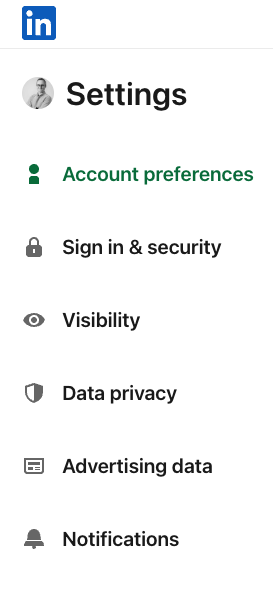
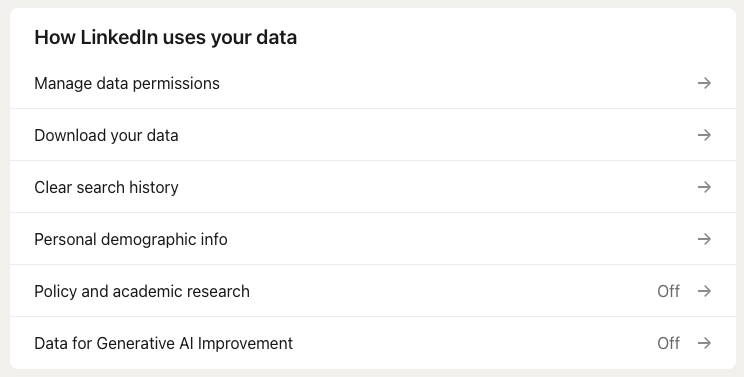
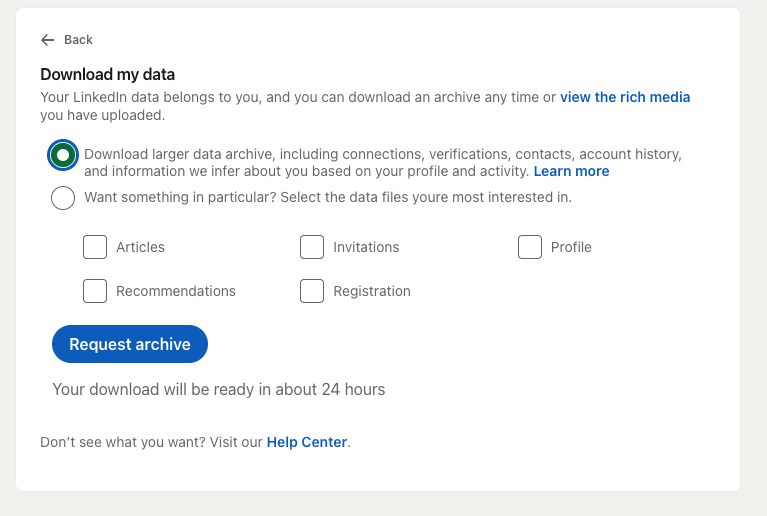
- Choose Download larger data archive, then click Request archive
- This is the option that includes your connections.
- Open the ZIP from LinkedIn's email and find Connections.csv
Upload to Icebreaker
- Open your linked accounts in Icebreaker
- Link LinkedIn first if you haven't yet.
- Click Upload CSV and pick Connections.csv
- Your connections become searchable in Icebreaker.
Want it to stay up to date? Install the Icebreaker Chrome extension to keep syncing.
LinkedIn only exports 1st-degree connections, and emails appear only for people who allow it.
Ask a friend to share their connections
For investors, advisors and trusted friends whose network you'd love to search for warm intros. Send them this:
Hi [Name],
I'm using Icebreaker to find warm intro paths, and your network would help a lot. Would you be open to adding your LinkedIn connections? Steps are below.
Nothing gets posted or sent from your account. Happy to answer any questions.
- Open LinkedIn's Get a copy of your data page, choose Download larger data archive and click Request archive.
- When LinkedIn emails you, open the ZIP and find Connections.csv.
- Sign in at Icebreaker's linked accounts page, link LinkedIn and click Upload CSV.
- Join my team from Icebreaker's join a team page with the invite link or code I send you.
Thanks,
[Your name]
Updated 2 days ago