
LinkedIn limits on your network data
LinkedIn is useful for social updates, but, as of November, 2026, heavily limits what you can do with your network. Three of those limits come up often: it's hard to search a connection's connections by role, the standard People filters don't include job title or function, and the official export leaves out crucial information about your contacts like work history, education, and location, and often email addresses.
Searching a connection's connections is impossible
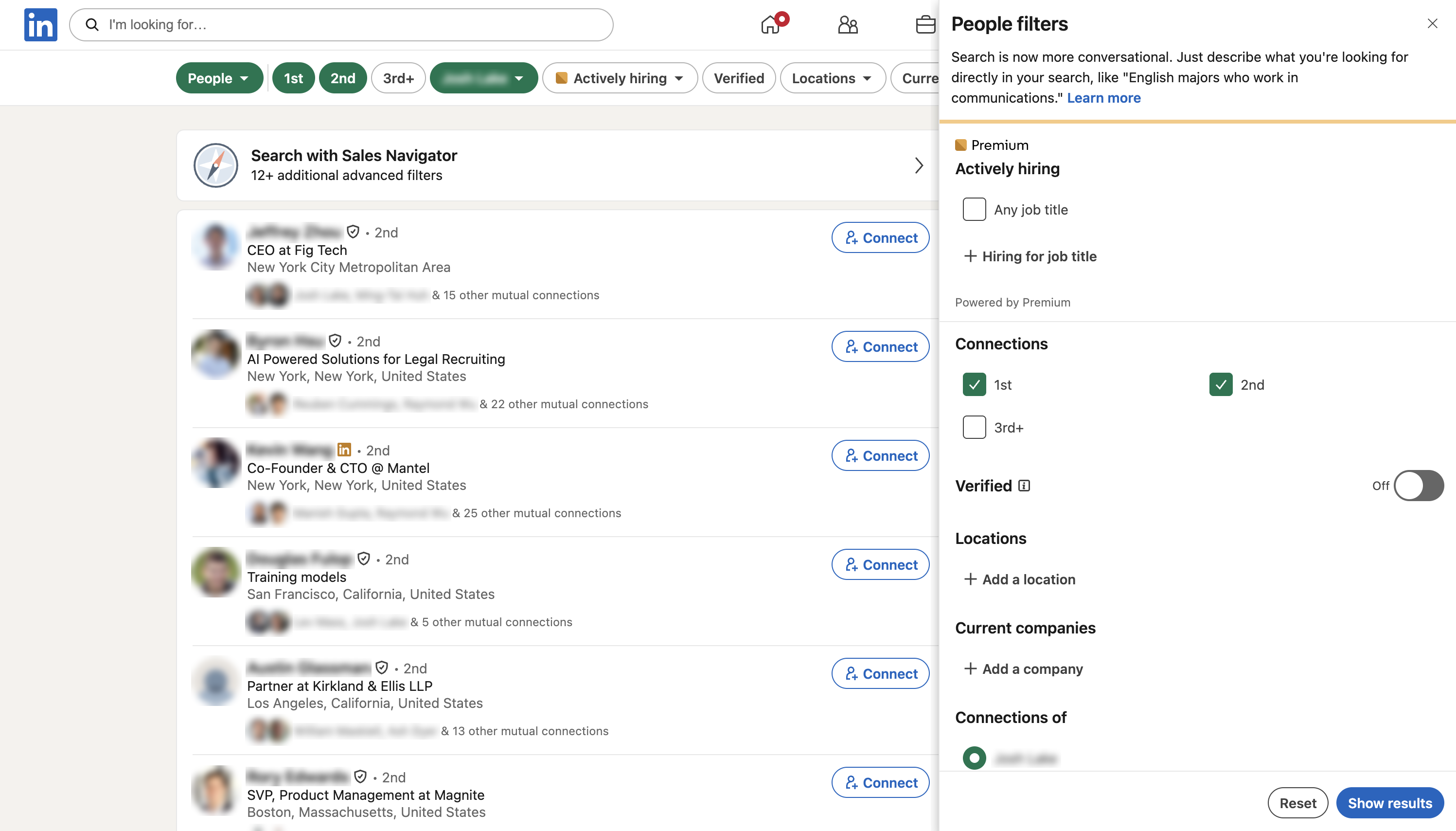
LinkedIn's People filters let you pick "Connections of" a person to see who they know. The filter panel doesn't include a job title or function filter, so finding another person in a contact's network, like a hardware engineer they know depends on blindly scrolling through their connections list.
Searching your own connections is limited too
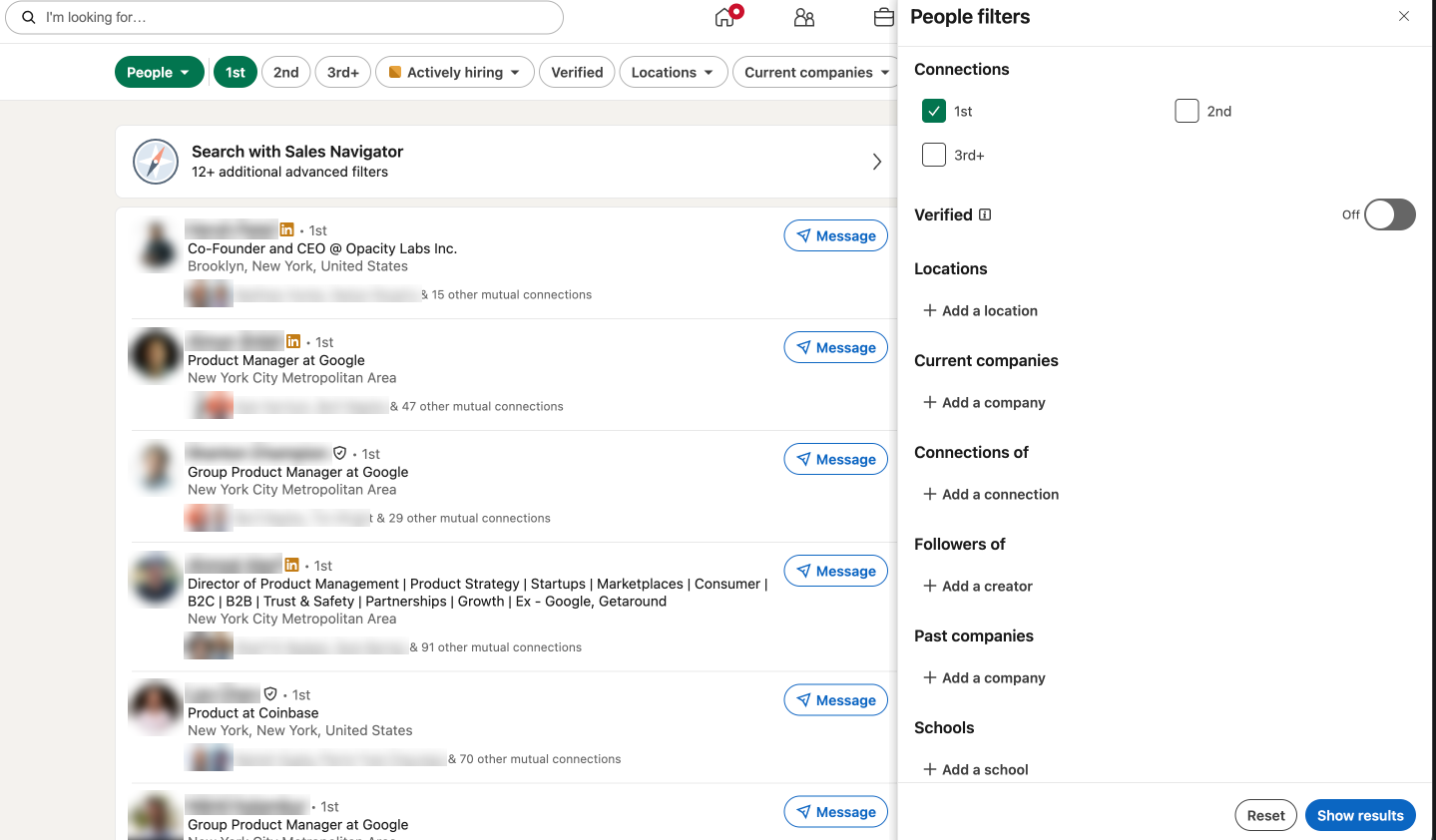
The standard People filters for your 1st-degree connections include location, current and past companies, and schools, but no job title or function filter. LinkedIn points to Sales Navigator for more advanced filters. That makes a question like "who are the engineers that I know?" hard to answer reliably.
The raw export leaves out the useful parts
You can download a copy of your data from Settings > Data privacy > Get a copy of your data. LinkedIn sends the archive in about 24 hours.
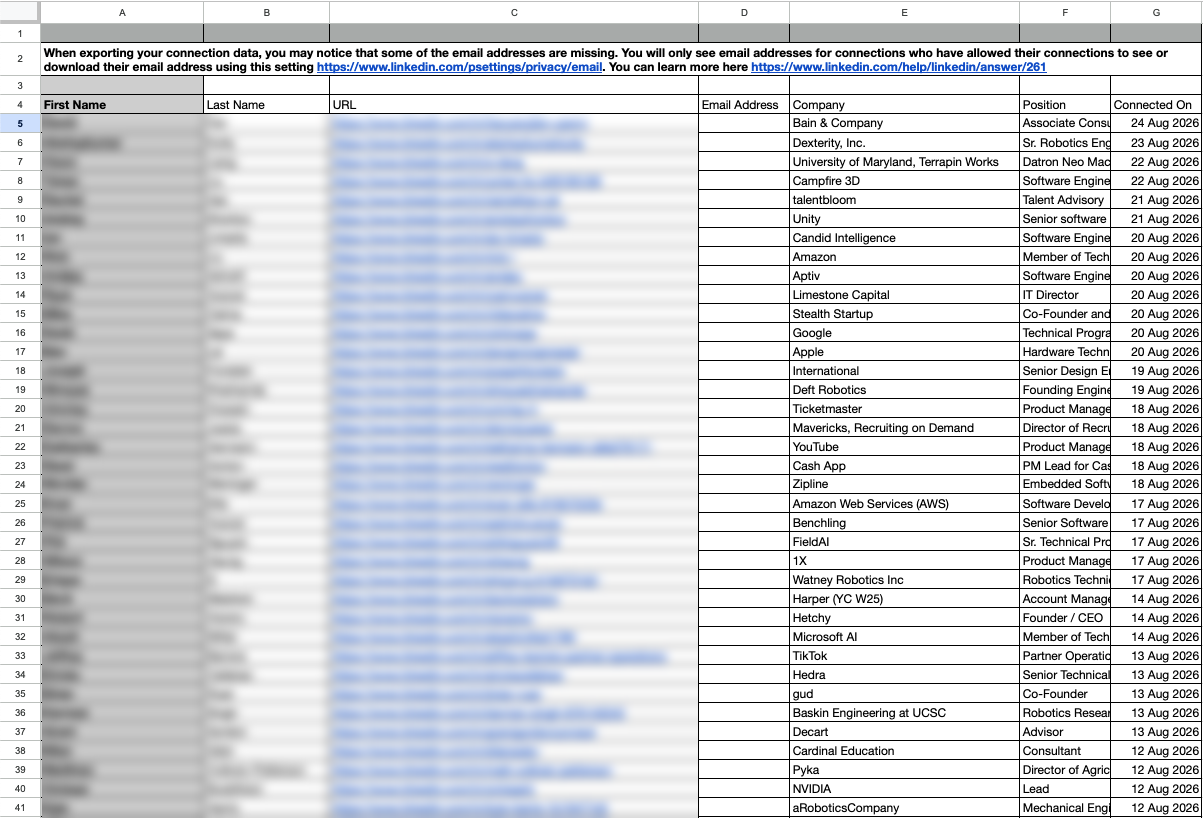
The connections file only includes:
- Name
- Current title
- Current company
- LinkedIn URL
It does not include work history, education, location, and barely any contact info.
For the steps to request that archive and upload it to Icebreaker, see How to Export Your LinkedIn Data.
How Icebreaker helps
You sync your own LinkedIn connections.
After you import, Icebreaker makes those connections searchable in your tools of choice through the Icebreaker MCP.
For example:
- "who are the engineers I know"
- "who are my trusted colleagues from Google"
- "who are early stage founders in my network"
Get started for free and see what you've been missing.
Updated about 19 hours ago